Storage limits
No data limit (except PM Lite)
PM Pro and PM Max let your data storage grow without a cap. PM Lite is free with limited storage. Upgrade when you need more room for passwords, notes, cards, crypto details, and images.
Passwords Manager is built for personal use, for individuals who want one private place for passwords, notes, images, 2FA codes, card details, and crypto wallet information. Losing access to those secrets is a real personal risk, not just something that matters to companies.
Everything stays organized in categories, protected with AES-256 encryption, and designed with an offline-first approach. Your data remains on your device by default, under your control.

Explore everything Passwords Manager offers for secure secret management: 20+ interface languages (more on request), categories, import and export, fingerprint/biometric, pattern, or password unlock on every tier, AES-256 encryption, password hygiene tools, bookmarks, reminders, idle lock, screenshot blocking, and a built-in password generator. PM Max adds encrypted cloud sync to providers you choose (see below). Your data is not stored on our servers, so we cannot recover it for you (see "No company servers" below).
Storage limits
PM Pro and PM Max let your data storage grow without a cap. PM Lite is free with limited storage. Upgrade when you need more room for passwords, notes, cards, crypto details, and images.
Import & export
Bring data from other password manager apps, from browser exports (e.g. Google Chrome or Mozilla Firefox), or from a simple CSV you maintain yourself. Export when you switch devices or want a backup to keep continuity when you upgrade hardware.
Organization
Structure everything into categories and nested folders so passwords, notes, cards, crypto details, and images stay grouped and easy to find, whether you have a small data set or a large one.
All apps
PM Lite, PM Pro, and PM Max all offer the same ways to open your data:
Encryption
Offline-first design with AES-256 encryption keeps your data protected behind your master login. Your data stays on your device by default, with no cloud required for Lite or Pro.
Generator
Built-in password generator with length and character rules lets you create strong passwords and passphrases in seconds, then save them straight into your data.
Reminders
Set alerts for what matters: card expiry, password renewal dates, or any note you want to be reminded about, so rotating credentials and updating cards does not slip through the cracks.
Anti‑tamper
Too many failed unlock attempts? The app can temporarily lock access so someone else cannot guess your pattern or password in a loop. Your data stays off-limits until the cooldown ends.
Session
Configure automatic lock after a period of inactivity you choose, so if you step away, the app does not stay open indefinitely. Adjust the idle timeout to match how you work.
On-screen privacy
Reduce the risk of sensitive data leaking through captures: screenshots of the app can be blocked (where the platform allows), helping prevent other apps or users from grabbing your data screen.
Localization
Use the app in more than 18 languages, and counting. Need another language? Request it with one email; additional locales are added over time based on demand.
Reuse visibility
See where you have reused the same password across multiple logins, so you can spot risky duplication and update entries to unique, stronger credentials.
Password health
Quickly find weak or easy-to-guess passwords in your data, then replace them using the generator so every login meets a stronger bar.
Rotation
Get a clear view of passwords that are due to expire or rotate soon, so you renew them before they become a security or access problem.
Quick access
Bookmark items you open often, including passwords, notes, cards, or anything else, so your most-used data stays one tap away.
Privacy model
We do not store your data. Your encrypted data lives on your devices (and optionally in your cloud if you use PM Max). That is good for privacy, but it also means we cannot recover or reset your data if you lose access; there is no copy on our side to restore from.
PM Max only
PM Max adds optional encrypted backup and sync to cloud storage you control-pick a provider below and connect your data (availability varies by platform and release). We never store your encrypted data on our servers.
Pick the app that matches how you work: PM Lite is free with limited storage, PM Pro is a one-time lifetime purchase with unlimited offline storage, and PM Max is a subscription (monthly or yearly-you choose in the store) that adds encrypted sync to cloud storage you control. Example providers appear in the cloud storage section on the PM Max card. We never store your encrypted data on our servers-PM Lite and PM Pro stay fully on your devices; PM Max syncs only to the cloud account you connect. Each card shows that app’s icon at the top-store listings already use the full app name, so the cards only need the tier (PM Lite, PM Pro, PM Max).

Free Forever
Limited data storage • offline-first protection • secure local data on your device
Free
Free tier with no subscription-start using it right away from the store.
Where to get PM Lite
Download PM Lite from the App Store and Google Play.

Most Popular
Unlimited storage • offline-first protection • secure local data on your device
One-time Lifetime Purchase
Pay once for lifetime access-no recurring monthly or yearly billing.
Where to get PM Pro
Download PM Pro from the App Store and Google Play.

Cloud Storage Support
Encrypted cloud sync & backup • multi-device support • online account. Your encrypted data is never stored on our servers-sync goes only to your connected cloud.
Subscription
Monthly or yearly billing-pick the option that fits you when you subscribe in the store.
Where to get PM Max
Mobile and desktop store listings and browser extensions are rolling out by platform. Tiles show live links when available.
Each app has its own store listing. Scan the codes for the one you want. iOS and Android use different links.
PM Lite
Free tier; limited storage.


PM Pro
One-time purchase; unlimited offline storage.


PM Max
Subscription; encrypted sync when available on your platform.
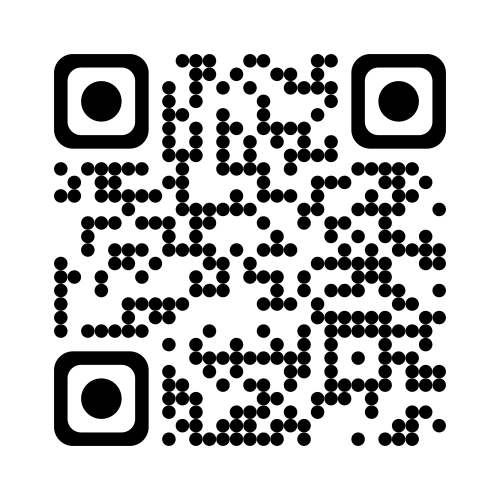
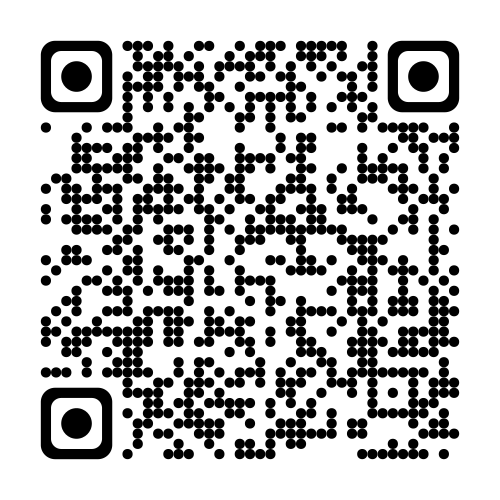
Quick overview of PM Lite, PM Pro, and PM Max. See the Pricing & Apps section for full details and download links.
Preview PM Lite on mobile, tablet, and desktop layouts.


Watch a step-by-step walkthrough for installing Passwords Manager, creating your master login, organizing categories, importing data, and using the password generator. Perfect for new users who want offline data storage for passwords, notes, cards, crypto details, and images, without forced cloud storage (unless you choose PM Max).
Quick answers about offline storage, AES-256 encryption, PM Lite vs PM Pro vs PM Max, encrypted cloud sync, and moving data between devices.
Yes. Lite and Pro are 100% offline and store encrypted data on the device.
Pattern, password, and biometric login are supported, with lockout protection after failed attempts.
Lite is free with limited storage, Pro is one-time lifetime purchase with unlimited storage, and Max is subscription-based with encrypted sync/backup to your personal cloud-often via providers such as Google Drive, iCloud Drive, Dropbox, or OneDrive, depending on platform and release.
Yes. You can export/import data. Depending on which app and format, transfer options include file import and QR-based migration.
Read independent feedback about Passwords Manager on Trustpilot alongside app store reviews. It is a helpful place to verify real-world experiences with support, updates, and overall satisfaction before you download.
Need help with setup, billing, imports, or enterprise questions? Reach our team by email for support, partnerships, and press inquiries. We aim to respond quickly, especially for technical issues related to encryption, backups, or device migration.
Email UsPasswords Manager is used by a growing global audience, with 100K+ downloads across app stores and strong ratings on listings worldwide. Whether you need offline data storage or encrypted personal cloud sync, you join users who value privacy, clarity, and long-term data ownership.
100K+
Downloads across app stores
Growing community of users worldwide
4.5
Average store rating
Shown as a snapshot; ratings can vary by region, device, and store listing.
Positive
User feedback
Thousands of reviews highlight reliability and support
Passwords Manager has crossed 100K+ downloads across app stores, with many positive reviews highlighting ease of use, offline security, and helpful support. Ratings on major store listings are typically strong (often around 4.5★ depending on region and platform). Swipe or use the arrows to browse more reviews from public app store listings. Want the full collection? Read all user reviews.
Star ratings are shown as an overall snapshot (~4.5 on many listings); your local store page may differ slightly by region.


